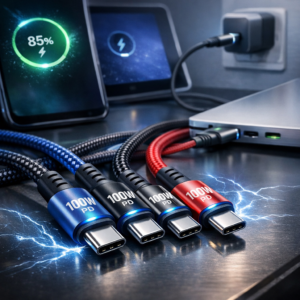
Fast USB-C charging helps power phones, tablets, laptops, gaming devices, and accessories with less waiting. In addition, the right cable can deliver dependable power, support data transfer, improve durability, reduce desk clutter, and make charging easier in bed, at work, or on the go.
Fast USB-C Charging: Why Choose a Fast-Charging USB-C Cable?
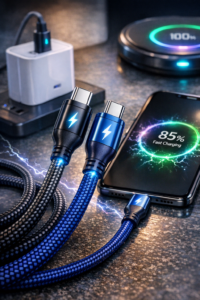
For another helpful perspective, this Fast USB-C Charging guide highlights practical trade-offs for buyers. USB-C ranks among the most versatile charging standards available. Unlike older connectors, USB-C plugs are reversible, so you do not need to check the orientation before connecting a device. More importantly, compatible USB-C cables can support higher wattage, faster data transfer, and a wider range of electronics.
However, not every cable offers the same performance. Two cables may look identical but differ significantly in their internal wiring, power rating, shielding, and connector quality. For example, a standard charging cable may suit a smartphone, while a 100W PD fast cable can provide enough power for many laptops and high-capacity tablets.
Power Delivery, commonly called PD, lets compatible chargers and devices communicate and select an appropriate power level. As a result, this process delivers efficient charging while protecting connected equipment from unnecessary power output. Always check your device and wall adapter specifications to ensure they support the desired charging speed. The USB-IF Power Delivery overview explains how this charging standard works.
Fast USB-C Charging: Features That Make a Cable Worth Buying
A reliable cable should do more than connect a device to a charger. Construction quality, flexibility, length, and charging performance all affect how useful it will be in daily life.
Fast USB-C Charging: Braided Nylon Construction
A braided nylon phone charger suits people who frequently bend, unplug, and transport their cables. Woven nylon creates an additional protective layer around the cable, helping resist abrasion, tangling, and everyday wear. Additionally, reinforced connectors and flexible strain relief further reduce the likelihood of splitting near the plug, one of the most common failure points.
Braided cables work especially well in travel bags, office drawers, and family charging areas where people often move cables between devices. Although no cable is indestructible, quality braiding can significantly extend its working life compared with thin plastic-coated alternatives.
High-Wattage Power Delivery
A 100W PD fast cable supports demanding devices that require more power than a typical phone. Depending on the charger and device, it may support rapid charging for laptops, handheld gaming systems, tablets, and USB-C monitors. Consequently, this capability can reduce the number of cables around your workspace.
For the best results, the cable, charger, and device must all support the required wattage. A 100W-rated cable connected to a low-power adapter will not create 100W charging, but it can provide useful flexibility for future upgrades.
Data Transfer Capability
Many users need cables to transfer photos, videos, documents, or backups as well as charge devices. A durable data sync wire should include properly designed conductors and shielding to support stable connections. However, some cables prioritize power and may offer limited data speeds, so specifications matter when moving large files.
Look for clear information about USB data standards, such as USB 2.0, USB 3.x, or higher. If frequent file transfers matter, choose a cable with a stated high-speed data rating to save time and prevent connection interruptions.
Convenient Cable Designs for Everyday Use
Different charging environments call for different cable shapes and lengths. For instance, a compact cable may suit a travel kit, while a specialized design can make charging more comfortable during use.
Magnetic Charging Cable
A magnetic charging cable uses detachable tips or magnetic connectors to simplify device connection. This design can help reduce strain on the device port because the cable separates more easily when pulled. It may also make charging convenient in low-light conditions or when accessing a port is difficult.
Choose magnetic systems carefully. Make sure the connector matches your device and that the design supports the necessary charging and data functions. Some magnetic cables mainly support power and may not provide full-speed data transfer.
90-Degree Right-Angle Cable
A 90-degree right-angle cable helps gamers, commuters, and anyone who uses a device while charging. The angled connector directs the cable along the edge of the phone or tablet instead of straight outward, reducing awkward bending and keeping the cable away from the user’s hands.
This design also helps when a device rests on a stand, lies flat on a desk, or connects inside a vehicle. By minimizing pressure on the connector, a right-angle cable can make charging more comfortable and potentially reduce wear.
Extra-Long 10ft Cord
An extra-long 10ft cord offers freedom that short cables cannot. It can reach a couch, bedside table, or workstation even when the outlet sits several feet away. Therefore, this convenience eliminates the need to sit directly beside a wall socket while using a device.
Long cables still need quality materials. A poorly constructed long cord may experience voltage drop or feel bulky. Choose one with appropriate power specifications, reinforced connectors, and a flexible exterior for easier storage.
Useful Visibility and Safety Features
An LED indicator charging cable provides quick visual confirmation that power flows. This feature can help at night or when a charger sits behind furniture. Depending on the model, the light may remain illuminated during charging or change color when a device reaches a full charge.
While indicator lights add convenience, they should not replace proper charging habits. Use cables from reputable manufacturers, avoid visibly damaged cords, and keep connectors free from dust and moisture. It is also wise to avoid sharply folding a cable or covering it with heavy objects while it operates.
Choosing the Right Cable for Your Devices
Start by identifying the devices you charge most often and the power requirements of each one. A smartphone user may prioritize a compact braided cable, while a laptop owner may need a 100W-rated option. Similarly, someone who charges from a sofa may prefer an extra-long cord, and a gamer may benefit from a right-angle connector.
It is also helpful to keep different cable lengths for different locations. A short cable works well with a power bank, a medium cable suits a desk, and a 10-foot cable fits beds or living-room seating. For more options, explore the USB-C charging cable guide to compare designs for different devices and charging needs.
Ultimately, the best fast-charging USB-C cable balances power, durability, convenience, and compatibility. Whether you choose braided nylon protection, high-wattage PD support, magnetic connectivity, an angled plug, an extended length, data-sync performance, or an LED indicator, the right cable can make everyday charging faster and far less frustrating.