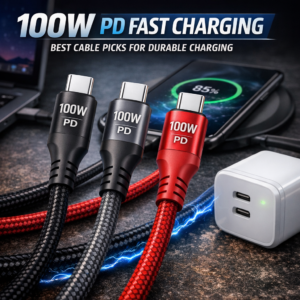
100W PD fast cable technology has changed the way people charge phones, tablets, laptops, gaming devices, and other USB-C electronics. Instead of waiting hours for a battery to fill, a compatible charger and high-quality cable can deliver power quickly and efficiently while supporting everyday data transfer. However, not every cable labeled “fast charging” offers the same performance. Construction, connector quality, length, flexibility, and device compatibility all play an important role in choosing a cable that remains dependable over time.
Why Choose a 100W PD Fast Cable?
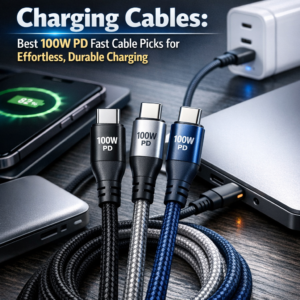
A 100W PD fast cable supports USB Power Delivery, a charging standard that lets compatible devices negotiate the appropriate power level. Depending on the charger and device, the cable may deliver enough power for smartphones, tablets, handheld consoles, ultrabooks, and some USB-C laptops. Learn more about the standard in the official USB-IF USB Power Delivery overview.
The 100W rating describes the maximum power the cable can handle, not necessarily the power every device will receive. A phone that supports 25W charging will draw only what it needs, while a compatible laptop may use significantly more. For safe and effective performance, the charger, cable, and device must all support the required charging protocol.
These cables can also reduce clutter. One capable cable may serve several devices instead of requiring separate low-speed cords for a phone, tablet, and computer.
100W PD Fast Cable: Materials That Improve Everyday Durability
Frequent bending, twisting, and pulling can quickly damage ordinary charging cables. A braided nylon phone charger adds an extra layer of protection around the internal wiring. Braided fabric helps resist fraying and can make the cable more flexible than a rigid plastic-coated alternative.
Look for reinforced connector housings, strain relief near both ends, and tightly woven braiding. These design details help protect the cable from the most common failure point: the area where the cord meets the plug. A strong outer jacket is especially useful for people who charge devices in cars, carry cables in bags, or use them beside a bed or desk.
For reliable options suited to different devices and charging needs, explore this USB-C charging cable guide to compare practical cable designs and connector types.
100W PD Fast Cable: Cable Features Worth Considering
The best cable depends on how and where it will be used. Several specialized designs can make charging more convenient.
Magnetic Charging Cable
A magnetic charging cable uses a detachable magnetic connector or magnetic charging tip to simplify connection. This can be useful when a device is positioned in a dark room or when repeatedly plugging and unplugging a port is inconvenient. Some designs also help reduce accidental cable pulls because the magnetic connection can separate more easily.
Before buying, check whether the connector is compatible with the device and whether the cable supports the charging speed you need. Some magnetic designs focus primarily on convenience and may not support 100W power delivery or high-speed data transfer.
90-Degree Right-Angle Cable
A 90-degree right-angle cable directs the connector along the side of the device rather than straight out from the port. This design is helpful for gaming, streaming, or using a phone while it charges. It can reduce pressure on the connector and keep the cable closer to the device instead of sticking outward.
Right-angle connectors are particularly practical for handheld gaming consoles and phones mounted in vehicles. Still, it is important to confirm that the angle will not interfere with a case or charging stand.
Extra-Long 10ft Cord
An extra-long 10ft cord provides flexibility when the nearest outlet is far from a sofa, bedside table, or work area. It allows users to continue using a device comfortably while it charges without relying on an extension cord.
Longer cables can experience greater resistance, so quality matters. Choose a 10-foot cable specifically rated for the desired power output and avoid extremely thin models with unclear specifications. A well-made long cable should include sturdy conductors and reliable shielding to maintain stable performance.
Durable Data Sync Wire
Charging is only one function of a modern USB-C cable. A durable data sync wire can also transfer photos, videos, documents, and backups between devices. However, charging speed and data speed are separate specifications. A cable may support 100W charging but offer only basic USB 2.0 data transfer.
For frequent file transfers, look for clearly stated data rates such as 5Gbps, 10Gbps, or higher. This is especially important when moving large video files or using external storage devices.
LED Indicator Charging Cable
An LED indicator charging cable adds a visual signal to show that power is flowing. This feature can be useful at night, in a vehicle, or when checking whether a connection is active without waking the device screen.
LED lighting is primarily a convenience feature, so it should not replace checking the cable’s power and data specifications. Some users may also prefer a subtle indicator rather than a bright light in a dark bedroom.
How to Select the Right Cable
Start by identifying the connector type on both the charger and device. USB-C to USB-C cables generally support USB Power Delivery at higher wattages, while USB-A to USB-C cables may offer different limits depending on the charger and cable design.
Next, confirm the power rating. A 100W PD fast cable can suit many modern devices, but pair it with a compatible USB-C charger. Check the device’s maximum input, especially for laptops and tablets.
Length should match the intended setup. A short cable is convenient for travel and power banks, while an extra-long 10ft cord works better for fixed locations. Finally, consider special features such as braiding, right-angle connectors, magnetic tips, LED indicators, or enhanced data transfer.
Safe and Efficient Charging Habits
Use cables from reputable sources and inspect them regularly for exposed wiring, loose connectors, unusual heat, or intermittent charging. Stop using a damaged cable, even if it still appears to function. Keep connectors clean and avoid sharply bending the cable near the plug.
It is also wise to match the cable with a certified charger and avoid placing heavy objects on it. Proper storage, such as loosely coiling instead of tightly wrapping, can extend the cable’s service life.
The right charging cable should combine power, durability, and convenience. Whether the priority is a braided nylon phone charger, a magnetic charging cable, a 90-degree right-angle cable, or a durable data sync wire, choosing a model with clear specifications makes daily charging faster, safer, and less frustrating.