



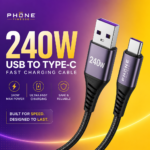


Thunderbolt 4 cable technology delivers a powerful upgrade for users who need fast data transfers, reliable connectivity, and a streamlined desk setup. Modern laptops, monitors, docks, and storage devices can use this standard to combine impressive performance with broad compatibility. Whether you are a creative professional, gamer, remote worker, or everyday computer user, choosing the right cable can make a noticeable difference in speed, convenience, and overall productivity.
What Is a Thunderbolt 4 Cable?
A Thunderbolt 4 cable supports Intel’s Thunderbolt 4 connectivity standard. Although it uses the same USB-C connector that many current devices use, the connector shape alone does not guarantee Thunderbolt performance. The cable and connected hardware must support the appropriate Thunderbolt specifications.
Thunderbolt 4 supports data transfer speeds of up to 40Gbps, making it suitable for demanding tasks such as moving large video files, working with external solid-state drives, and connecting multiple accessories through a single port. It can also carry video signals, power, and data simultaneously, helping reduce cable clutter and simplify workstation setups. For more technical details, review Intel’s official Thunderbolt technology overview.
Thunderbolt 4 Cable Performance Benefits
The most significant advantage is speed. With transfer rates reaching up to 40Gbps, a Thunderbolt 4 cable can move large files far more quickly than older USB standards. This is especially valuable for photographers, videographers, musicians, and designers who regularly work with high-resolution media.
For example, transferring a large collection of RAW photos or 4K video footage from an external SSD can take considerably less time than it would with a standard USB cable. Faster transfers reduce waiting and help professionals spend more time editing, creating, and completing projects.
Thunderbolt 4 also supports dependable performance when several functions operate at once. A single cable can connect a laptop to a docking station while carrying display signals, peripheral data, and power. This makes it easier to transform a portable computer into a complete desktop workstation.
Support for High-Resolution Displays
A major benefit of Thunderbolt 4 connectivity is its ability to support advanced display configurations. Compatible computers and docks can connect to high-resolution monitors, including 4K displays, while maintaining strong image quality and smooth performance.
Depending on the computer, dock, and display arrangement, users may be able to connect multiple monitors through one Thunderbolt port. This is useful for professionals who need a larger digital workspace. Video editors can place timelines on one screen and previews on another, while financial analysts, programmers, and content creators can organize several applications more efficiently.
It is important to check the specifications of every device because display support depends on the computer’s graphics capabilities and the dock’s design. A quality cable enables the connection, but it cannot add capabilities that the host device does not support.
One Cable for Data, Video, and Power
A Thunderbolt 4 cable can reduce the number of connections needed on a desk. When paired with a compatible docking station, it may provide access to monitors, keyboards, mice, Ethernet, storage drives, audio equipment, and charging through a single connection to the laptop.
Many Thunderbolt 4 cables also support USB Power Delivery, allowing compatible devices to receive substantial charging power. This makes them practical for laptops that require more energy than basic USB accessories can provide. Instead of connecting a charger, monitor, storage device, and network adapter separately, users can often connect one cable to a dock and keep their workspace organized. For simpler charging needs, a durable USB-C charging cable may provide a practical alternative.
This convenience is particularly useful for hybrid workers who move between home and office locations. A single cable can turn a portable laptop into a full workstation within seconds.
Compatibility and Backward Support
One of the strongest features of Thunderbolt 4 is its backward compatibility. A Thunderbolt 4 port can generally work with Thunderbolt 3 devices, USB devices, and compatible USB-C accessories. However, the final performance depends on the slowest component in the connection.
For instance, connecting a USB 3 device with a Thunderbolt 4 cable will not make that device operate at Thunderbolt speeds. Similarly, an older dock may have lower display or transfer limits. Understanding this distinction helps prevent unrealistic expectations and makes it easier to choose the right accessories.
Look for the Thunderbolt lightning-bolt logo on the cable, port, or product packaging. Certification testing confirms that certified cables meet the required performance standards, while inexpensive USB-C cables may offer only charging or basic data transfer.
Choosing the Right Thunderbolt 4 Cable
Length is an important consideration. Short passive cables are often ideal for connecting nearby devices, such as a laptop and dock. Longer cables may use active technology to maintain reliable signal quality over greater distances. Active cables can perform well, but some may have limitations with USB compatibility or charging, so reading the manufacturer’s specifications is essential.
Build quality also matters. Look for reinforced connectors, durable cable jackets, strain relief, and clear certification markings. A well-made cable is more likely to withstand frequent plugging, bending, and travel.
Consider your intended use before buying. A cable used for a desktop dock may have different requirements from one used with an external SSD. If charging is important, verify the supported wattage. If you need high-resolution displays, confirm the cable’s video and bandwidth specifications.
Thunderbolt 4 Compared With USB-C
USB-C describes the physical connector, while Thunderbolt 4 describes a more specific performance standard. Two cables may look identical but provide very different speeds and features.
Basic USB-C cables may support charging and low-speed data transfer. Others may support USB 3.2, USB4, or video output. Thunderbolt 4 cables follow stricter requirements for speed, device support, and connectivity. They are usually more expensive, but their versatility can justify the cost for users with demanding equipment.
The best choice depends on your needs. If you only charge a phone or connect a simple keyboard, a basic USB-C cable may be sufficient. For high-speed storage, professional displays, docking stations, and advanced laptops, Thunderbolt 4 offers a more capable long-term investment.
Is the Upgrade Worth It?
For many users, the upgrade is worthwhile because it combines speed, flexibility, and convenience in one connection. The benefits are most noticeable when working with large files, multiple displays, external graphics hardware, professional docks, or fast storage.
Casual users may not immediately notice a difference if they only connect simple accessories. However, investing in a certified cable can still provide greater reliability and future compatibility as newer computers and peripherals adopt faster standards.
A Thunderbolt 4 cable is more than a charging accessory. It serves as a central part of a modern connectivity system, capable of handling demanding data, display, and power requirements. With the right cable and compatible devices, users can create a faster, cleaner, and more productive workspace.