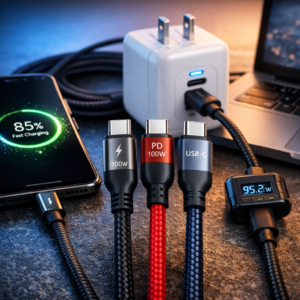
Fast-charging USB-C cable technology has changed how we power smartphones, tablets, laptops, gaming devices, and other everyday electronics. Instead of waiting hours for a battery to fill, the right cable can deliver power efficiently while supporting dependable data transfers and daily durability. However, not every USB-C cable offers the same performance. Cable construction, charging protocols, wattage ratings, connector design, and length all influence how quickly and reliably your devices charge.
What Makes a Fast-Charging USB-C Cable Effective?
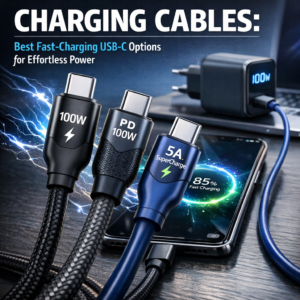
A fast-charging USB-C cable needs more than matching connectors. It must handle modern devices’ power requirements without excessive heat, voltage drops, or unstable connections. USB Power Delivery, commonly known as USB PD, ranks among the most important technologies to look for because compatible chargers and devices use it to negotiate the appropriate power level. The USB-IF overview of USB Power Delivery explains how this charging standard works.
For phones, a standard USB-C cable may provide enough performance, but tablets and laptops often need higher wattage. A cable rated for 60W or more suits many users, while a 100W PD fast cable can support demanding devices such as USB-C laptops, portable monitors, and docking stations. Always check your device and charger specifications, since a high-rated cable cannot increase the maximum charging speed that the hardware supports.
Fast-Charging USB-C Cable: Choosing the Right Cable Construction
Daily use puts considerable strain on charging accessories. Users bend, pull, pack, and wrap cables around desks. A braided nylon phone charger often suits people who want better resistance to fraying and repeated bending. Its woven exterior helps protect the internal wiring while providing a more flexible feel than many basic plastic-coated cables.
Reinforced connector housings matter just as much. The areas where the cable meets the USB-C plug experience frequent bending, so strain relief can make a significant difference in service life. Look for cables with tightly molded ends, secure connectors, and clear information about charging and data capabilities.
A durable data sync wire also helps people who regularly move photos, videos, documents, or backups between devices. Some inexpensive charging cables support power only and may offer limited or no data transfer. If syncing matters, confirm the cable’s data speed specification before buying.
Fast-Charging USB-C Cable: When a 100W PD Fast Cable Makes Sense
A 100W PD fast cable handles high-power charging applications. It can help with compatible laptops, tablets, handheld gaming systems, and high-capacity power banks. These cables often include an electronic identification chip, sometimes called an e-marker, which communicates supported power levels to the charger and connected device.
Although a 100W cable works with a smartphone, it will not force the phone to accept unsafe power. Compatible devices draw only the power they can handle. The advantage is versatility: one cable can support multiple devices instead of requiring separate accessories for a laptop and phone.
For the best results, pair the cable with a USB-C charger that supports the required Power Delivery output. A powerful cable connected to a low-wattage adapter will still charge at the adapter’s lower limit.
Specialized Designs for Comfortable Everyday Use
Cable shape can matter as much as charging speed. A 90-degree right-angle cable helps when you use a phone while gaming, watching videos, or charging from a power bank. Its angled connector reduces pressure on the port and keeps the cable closer to the device, making it less likely to interfere with your hands.
For bedside tables, workstations, and vehicles, an extra-long 10ft cord provides useful freedom of movement. It lets you charge from a distant wall outlet without sitting directly beside it. Longer cables may experience slightly greater power loss than short cables, so choose one with appropriate wire thickness and a reliable power rating for fast charging.
A magnetic charging cable can make connecting devices more convenient, especially in dark rooms or busy work areas. Depending on the design, magnetic tips may remain attached to a device while the main cable detaches easily. However, make sure the magnetic system supports the necessary charging speed and data functions. Some magnetic options focus primarily on power and may not support high-speed syncing.
An LED indicator charging cable offers a quick visual signal that power flows through the connection. This feature can help at night or when the device screen is not visible. A glowing connector can also show whether you connected a cable correctly, although the indicator itself does not guarantee fast charging.
Finding Reliable Charging Accessories
When comparing options, consider your complete charging setup rather than focusing on one specification. A quality fast-charging USB-C cable should match the output of your wall charger, power bank, or car adapter. It should also support every device you plan to connect.
You can browse compatible options in the top-rated smartphone accessories collection, where different lengths, materials, connector styles, and performance ratings can help you find a suitable option for your routine.
Tips for Longer Cable Life
Even a well-made cable lasts longer with proper handling. Disconnect it by holding the connector rather than pulling the wire. Avoid tight knots and sharp bends, especially near the plug. When traveling, loosely coil the cable and store it separately from heavy objects that could crush the connectors.
Keep USB-C ports free of dust and debris, since buildup can prevent a secure connection and cause intermittent charging. If a cable becomes unusually hot, shows exposed wiring, disconnects repeatedly, or produces a burning smell, stop using it and replace it.
The best fast-charging cable balances power capacity, build quality, length, convenience, and compatibility. Whether you need a braided nylon phone charger for daily reliability, a 100W PD fast cable for a laptop, or a right-angle design for comfortable gaming, choosing the correct specifications can make charging faster, safer, and less frustrating.